
WELCOME
W3lc0m3_ M7_Fr13nd$
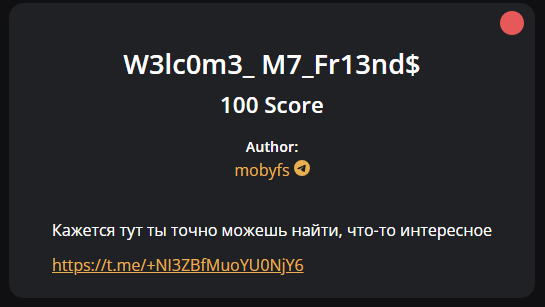 This link leads to the main Telegram group for discussing the contest and here I found this post flag.
However, we must remove the * in M*CTF to get the correct flag.
Flag: MCTF{ok3y_l3ts_g0}
SBER
CRCL35
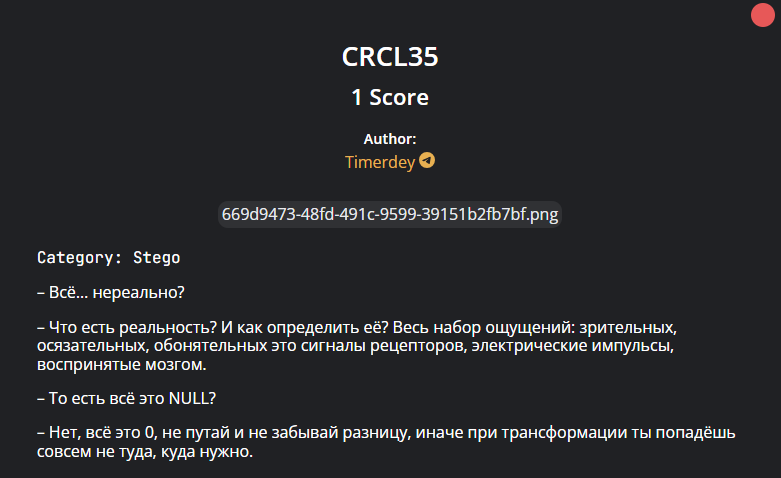
This is the picture:
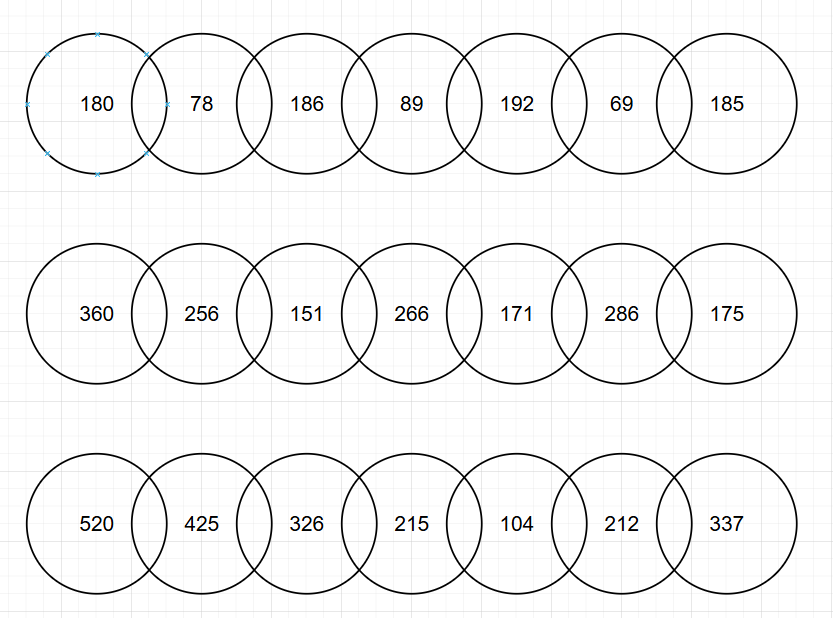
This is the description of the challenge after translation:
"Everything... is unreal?"

"What is reality? And how do you define it? The entire range of sensations: visual, tactile, olfactory—these are signals from receptors, electrical impulses received by the brain."

"So, it's all NULL?"

"No, it's all 0. Don't confuse it and don't forget the difference, otherwise, during the transformation, you'll end up in the wrong place."
In the description, I noticed the word “difference” so I quickly tested this method by python and it worked.
s0 = [180, 78, 186, 89, 192, 69, 185]
s1 = [360, 256, 151, 266, 171, 286, 175]
s2 = [520, 425, 326, 215, 104, 212, 337]
for arr in (s0, s1, s2):
    for j in range(len(arr) - 1):
        print(chr(abs(arr[j+1] - arr[j])), end = '')
This give us flag{this_so_cool} so I replace flag with MCTF to get it.
Flag:MCTF{this_so_cool}
BackPuckUp
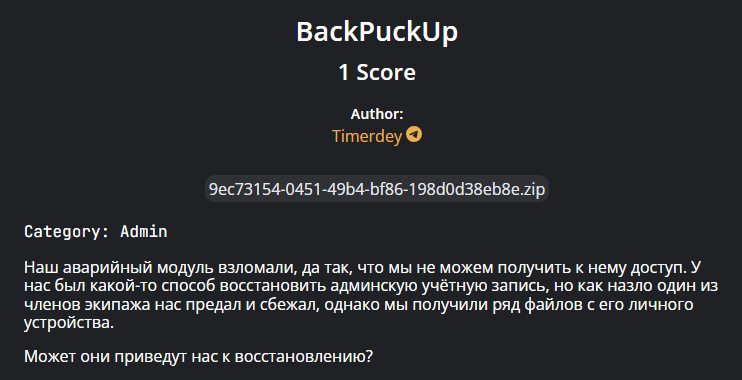
In the source, I found the main app.py which contains many of the site’s secrets and inside there is also a flag: flag{adm1n_artifact_rec0very_2025}.
Here is the place I took this flag:
# admin_task1/flask-app/app.py
@app.route("/profile")
def profile():
    if "user" not in session:
        return redirect(url_for("login"))

    if session["user"] == ADMIN_USER:
        return render_template("profile.html",
                             username=session["user"],
                             flag="flag{adm1n_artifact_rec0very_2025}")

    return render_template("profile.html",
                         username=session["user"],
                         flag="Обычный пользователь - флага нет")
I wondered if it was a fake flag, but I sent it with the alternate prefix and it worked.
Flag: MCTF{adm1n_artifact_rec0very_2025}
Geo_What?
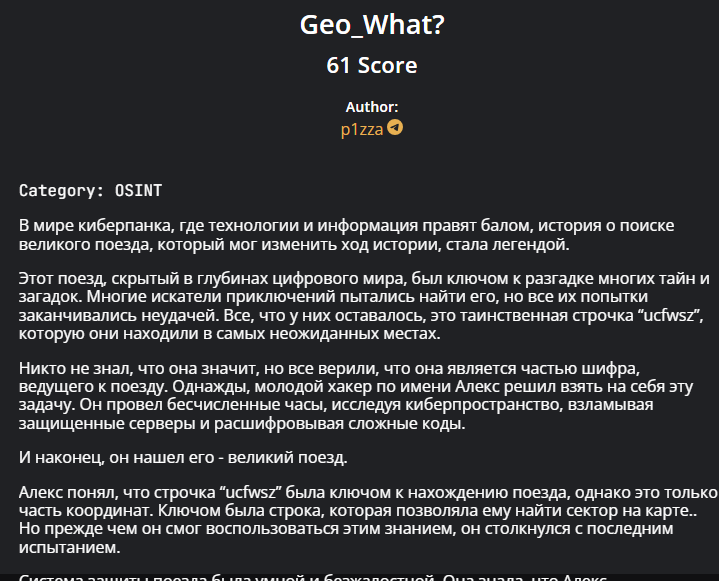
This is the description of the challenge after translation:
In the world of cyberpunk, where technology and information rule, the story of the search for a great train that could change the course of history has become the stuff of legend.

This train, hidden in the depths of the digital world, was the key to solving many mysteries and riddles. Many adventurers tried to find it, but all their attempts ended in failure. All they had was the mysterious string "ucfwsz," which they found in the most unexpected places.

No one knew what it meant, but everyone believed it was part of a cipher leading to the train. One day, a young hacker named Alex decided to take on this task. He spent countless hours exploring cyberspace, breaking into secure servers, and deciphering complex codes.

And finally, he found it—the great train.

Alex realized that the string "ucfwsz" was the key to finding the train, but it was only part of the coordinates. The key was a string that allowed him to locate a sector on the map. But before he could use this knowledge, he faced his final challenge.

The train's defense system was intelligent and ruthless. It knew Alex was approaching, and it tried to stop him.

But Alex was ready. He used all his skills and knowledge to bypass the defenses and reach the heart of the system.

In the end, Alex disappeared. His story became the beginning of a journey for all enthusiasts interested in both Alex's story and the search for the mysterious train.
The keyword I found for this challenge is: a great train that could change the course of history, ucfwsz and only part of the coordinates.
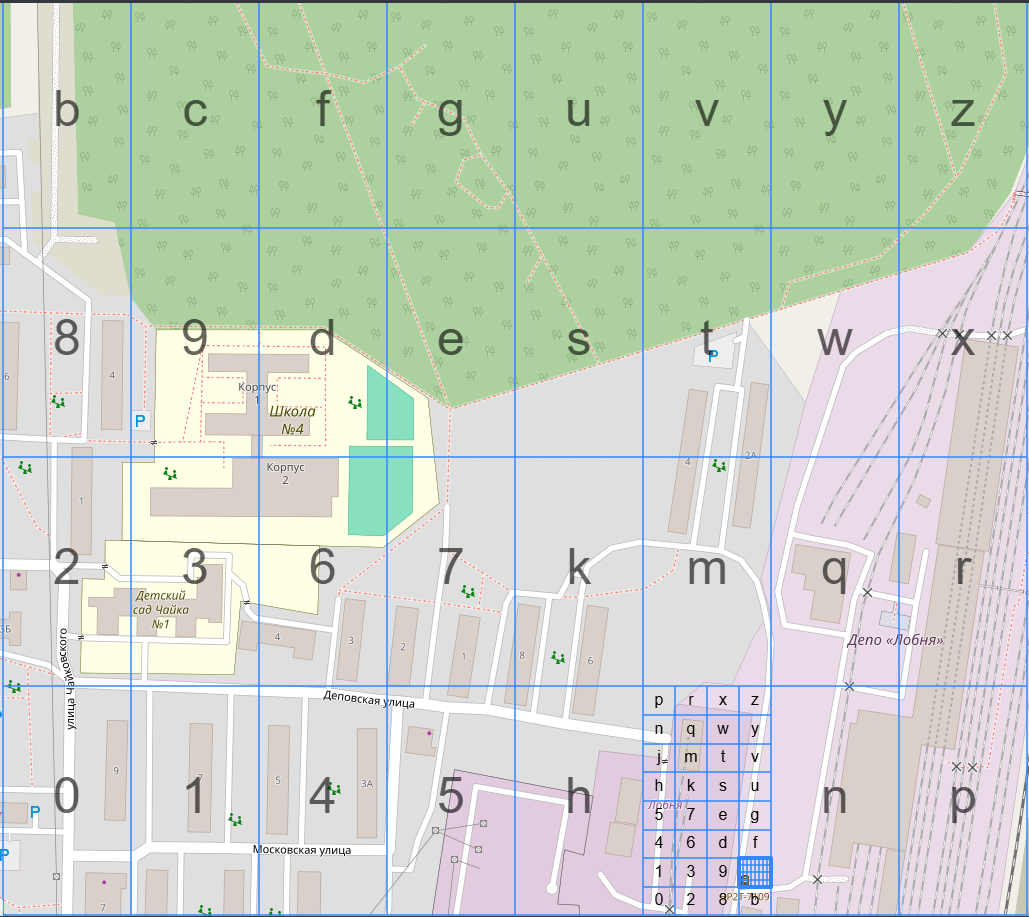
In short, we need to find a great train that has some history, then it can become a monument. Next, the keyword ucfwsz made me google for a while and found out it is a geohash. Here is where ucfwsz is:
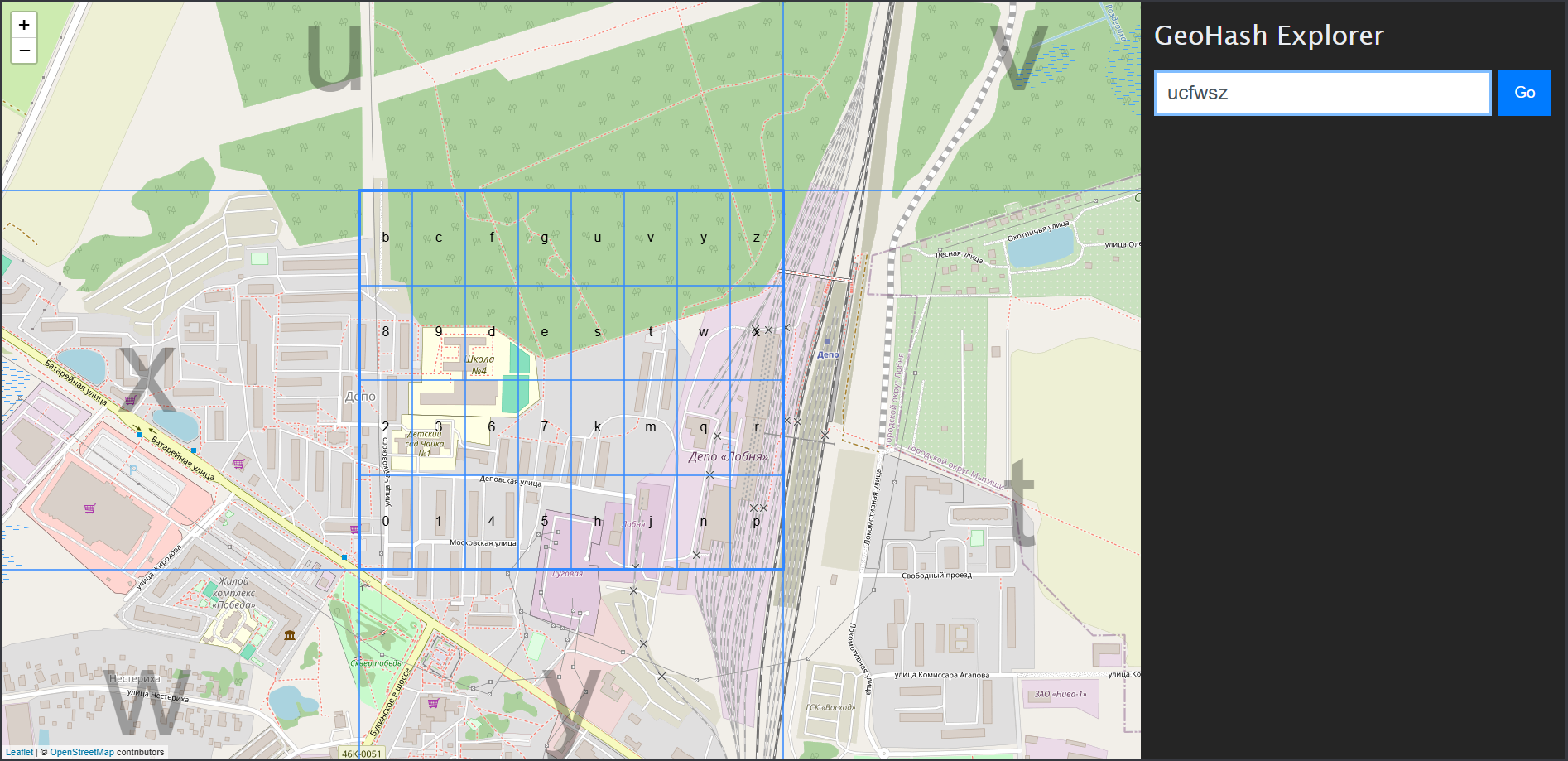
Because they said it was only part of the coordinates so I scanned all within the square area. Luckily, I found something that looked like a tombstone and fit the square perfectly. Can you found out just by looking through this picture 😂😂?
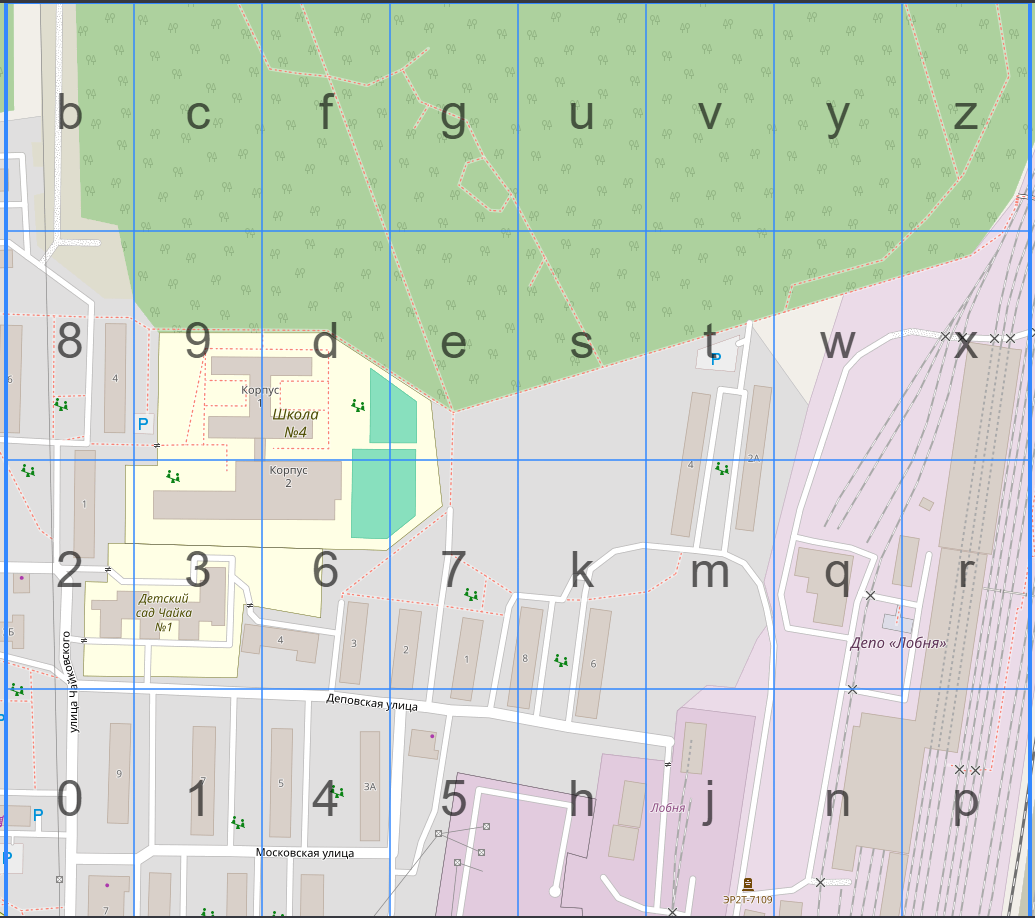
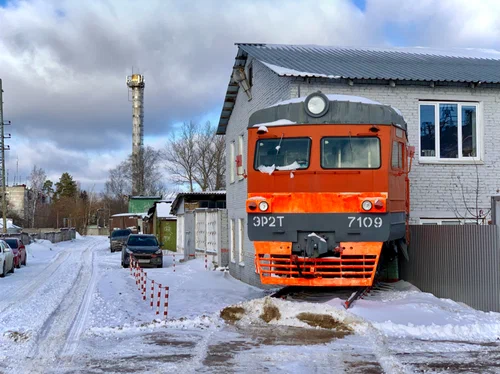
Woww you have such sharp eyes, it’s right here:
Flag:mctf{ucfwszjc}
Outside knowledge: The name of monument (ЭР2T-7109) is a model of a train
Hardware
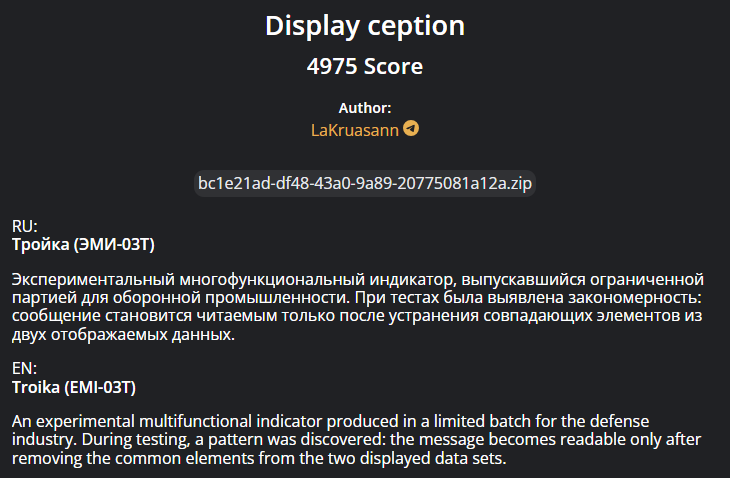
Display ception
In the source, they gave us a SAL file. After googling, I knew that we could work on .sal files directly with Logic 2 Software.
Installing it and opening the file, we saw this:
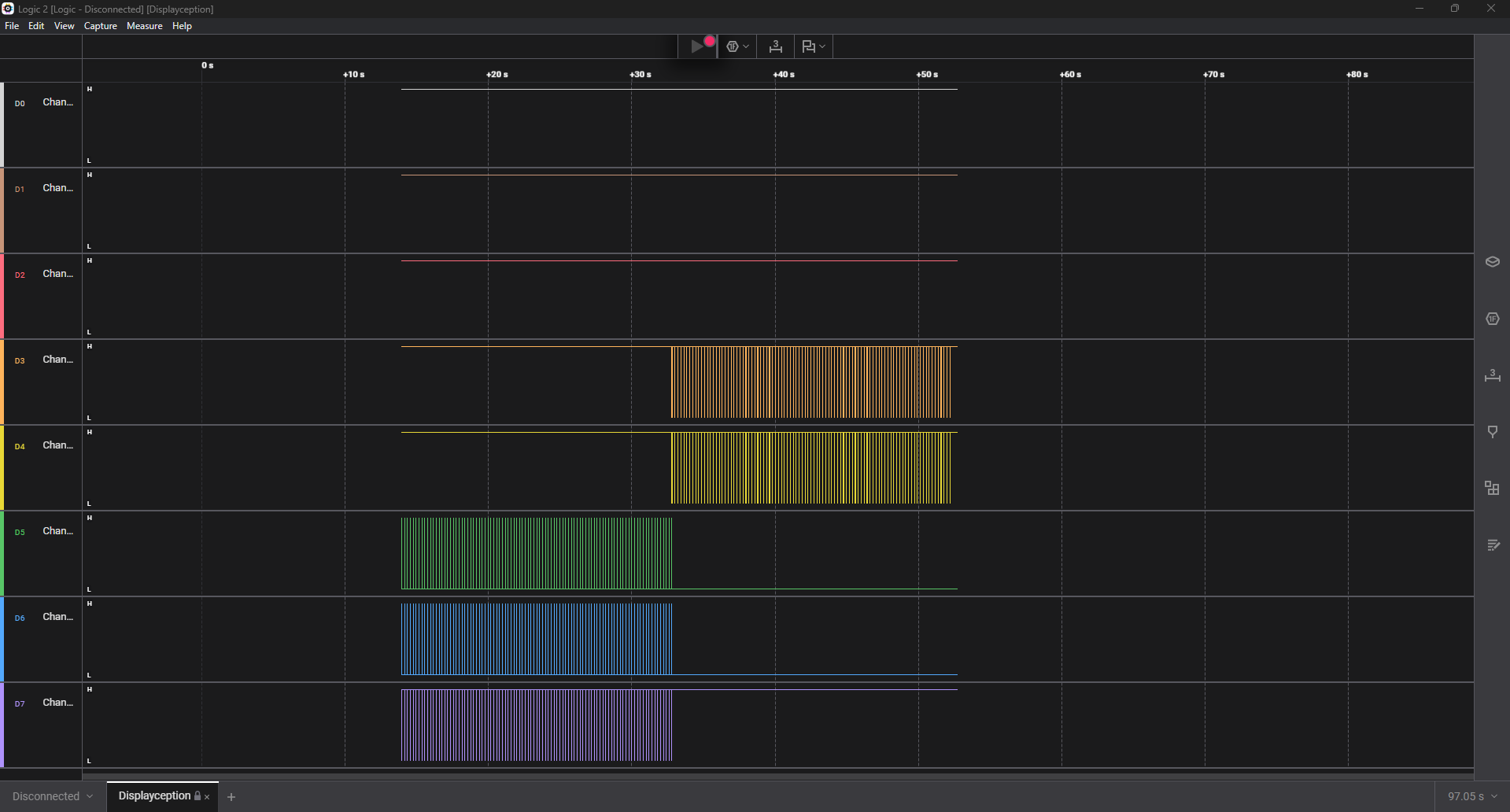
Channels 0,1,2 have almost no data (tiny files), while 3–7 have a lot more transitions. So I ignore 0–2 and only focus on 3,4,5,6,7. After evaluating these channel, I rename them: (D3, D4, D5, D6, D7) = (CLK, DATA, CLK, DATA, ENB)
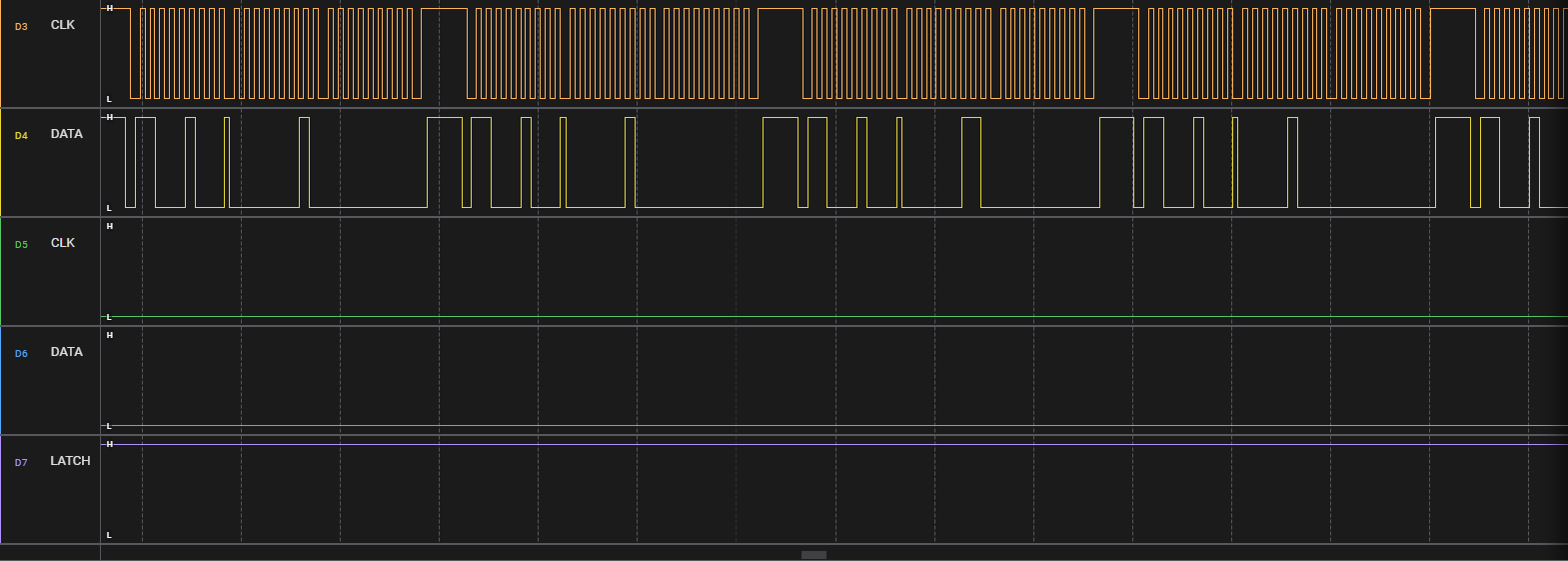
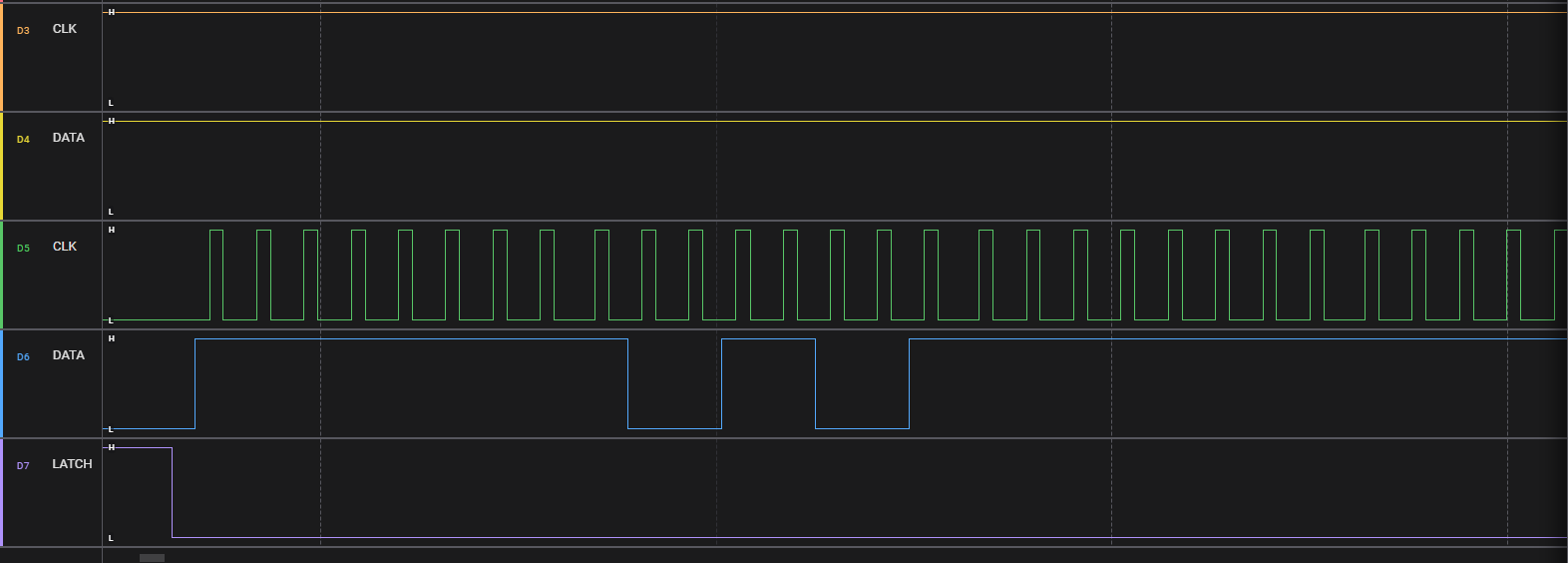
The challenge told that: the message becomes readable only after removing the common elements from the two displayed data sets. In terms of the capture, that typically means when XOR-ing two patterns (keep bits that differ, drop those that are the same), we get readable text. In common cases, it’s a serial protocol, so I assume it’s SPI and set 2 datasets to XOR.
SPI protocol
We will export data to CSV for future analysis.
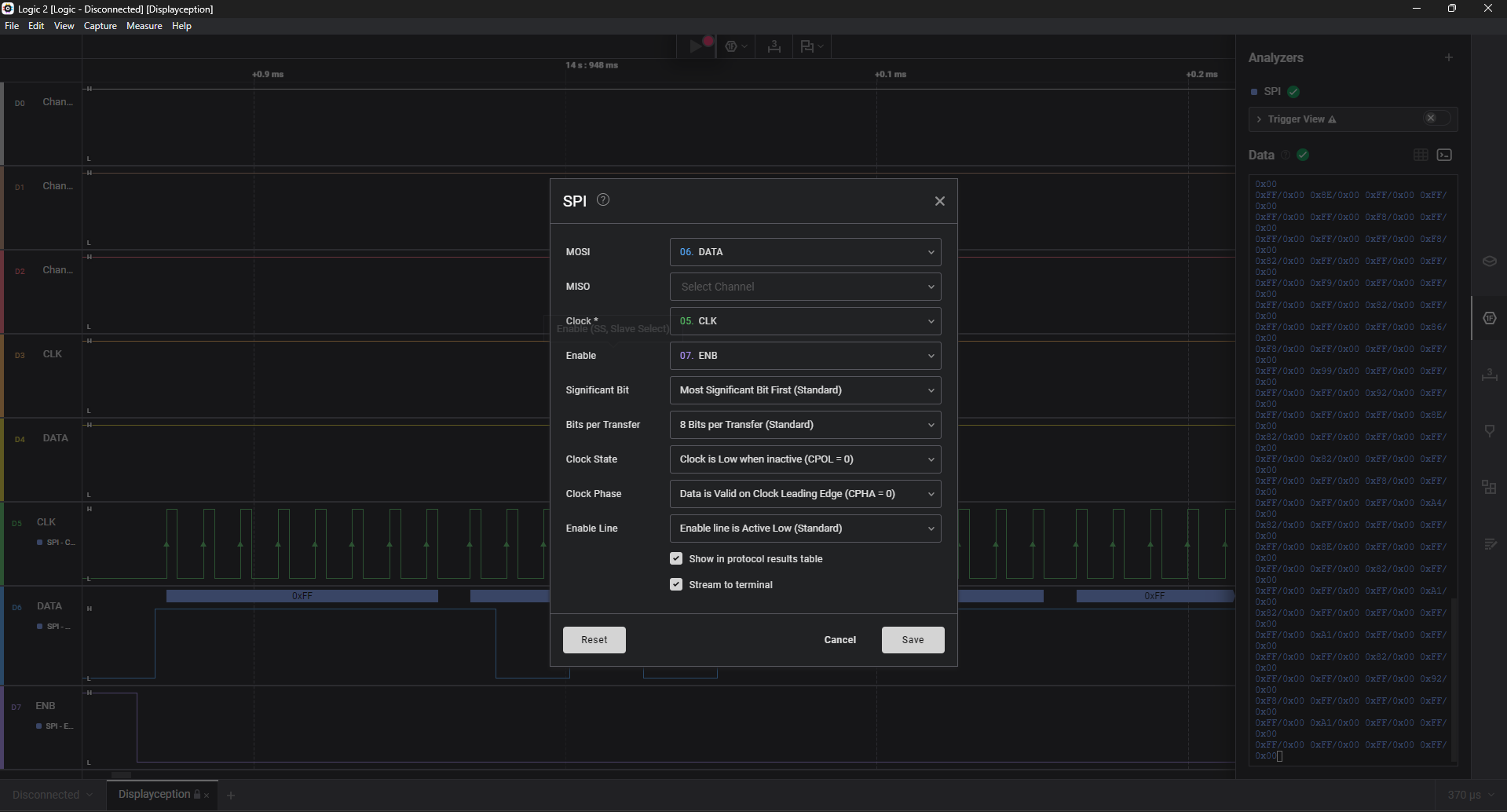
Dataset A: I use set (MOSI, Clock, Enable) = (D6, D5, D7)
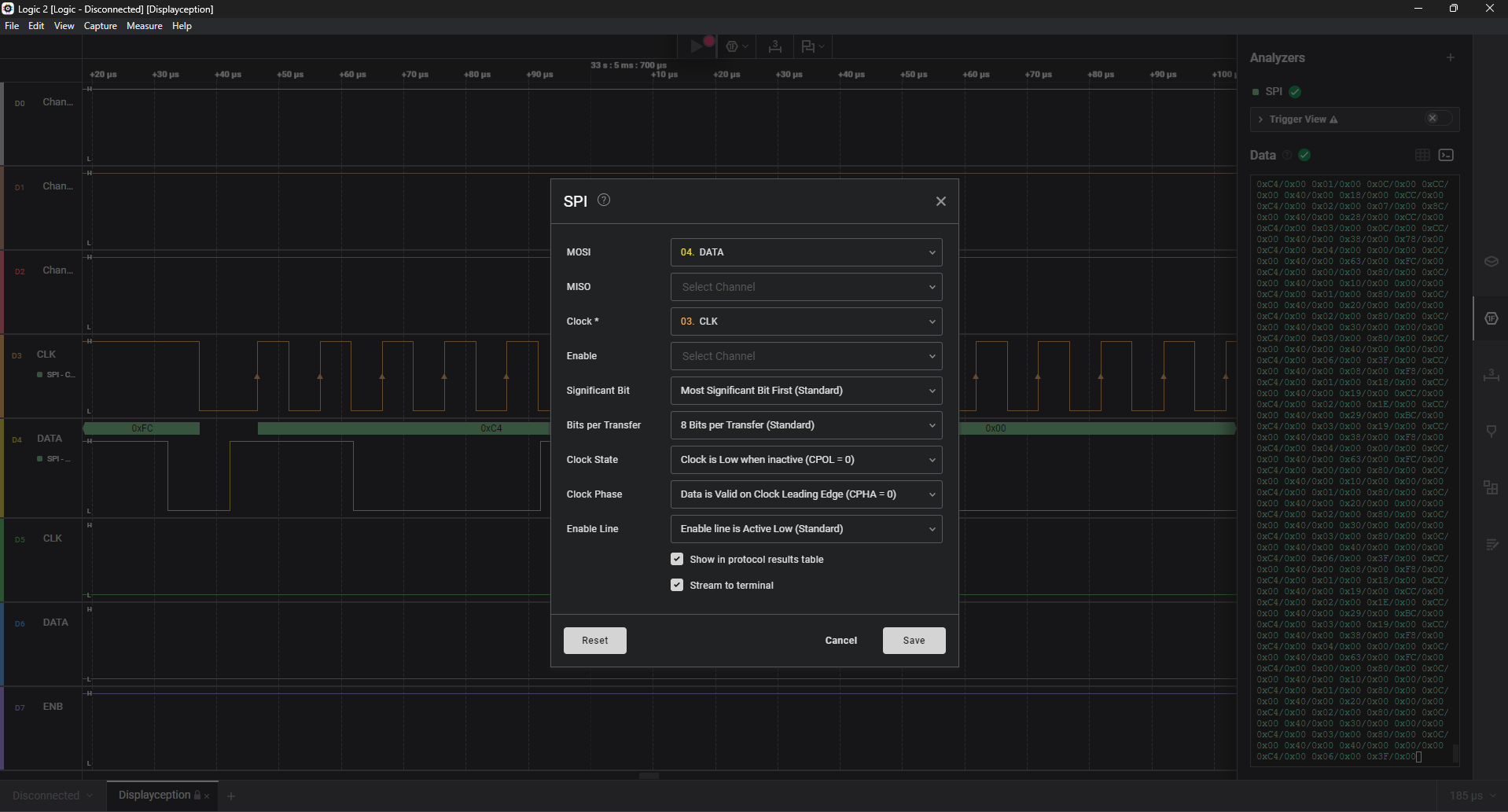
Dataset B: I use set (MOSI, Clock) = (D4, D3)
Then I will create a python file which has the function to load data by using regex, split them into suitable chunks. In dataset A, we got the MOSI column and it has 380 bytes which can divided nicely into 95 “frames”, each frame = 4 bytes.
Similarly with dataset B, take the MOSI column and we get 5953 bytes. If we remove the last byte, when divided into groups of 7 bytes, it gives 850 complete groups, with exactly 2 bytes left at the end.
Therefore, I load A as a simple bitmap, load B as a 7 byte “command list" and finally XOR the two buffers and print ASCII.
import numpy as np
from pathlib import Path
import csv, re

HEX_RE = re.compile(r"0x[0-9A-Fa-f]+")

def load_mosi(path):
    vals = []
    with path.open() as f:
        r = csv.DictReader(f)
        for row in r:
            m = row["MOSI"].strip()
            m = HEX_RE.search(m).group(0)
            vals.append(int(m, 16))
    return vals

A = load_mosi(Path("spi_A.csv"))
B = load_mosi(Path("spi_B.csv"))

framesA = [A[i:i+4] for i in range(0, len(A), 4)]
B_trim = B[:-1]
framesB = [B_trim[i:i+7] for i in range(0, len(B_trim), 7)]
framesB = [f for f in framesB if len(f) == 7]

H = 8
W = 4 * len(framesA)

bufA = np.zeros((H, W), dtype=np.uint8)
bufB = np.zeros((H, W), dtype=np.uint8)

for i, frame in enumerate(framesA):
    for col, byte in enumerate(frame):
        x = i*4 + col
        for y in range(8):
            bit = (byte >> y) & 1
            bufA[H-1-y, x] = bit


bufX = bufA ^ bufB
H, W = bufX.shape
buf = 1 - bufX

with open("xor.ppm", "w") as f:
    f.write(f"P3\n{W} {H}\n255\n")
    for y in range(H):
        for x in range(W):
            v = 0 if buf[y, x] else 255  # 0 = black, 255 = white
            f.write(f"{v} {v} {v} ")
        f.write("\n")
Now it’s just a matter of viewing and rotating/inverting the colors for readability. Here is Python script to save PNG picture for viewing:
from PIL import Image
import numpy as np

with open("xor.ppm", "r") as f:
    magic = f.readline().strip()
    w, h = map(int, f.readline().split())
    maxval = int(f.readline())
    nums = []
    for line in f:
        if not line.strip():
            continue
        nums.extend(map(int, line.split()))

nums = np.array(nums, dtype=np.int16)
pixels = nums.reshape(h, w, 3)[:, :, 0]
img = (pixels < 128).astype(np.uint8)
rot90 = np.rot90(img, k=1)

im = Image.fromarray((1 - rot90) * 255)  # nền trắng, chữ đen
im.resize((rot90.shape[1]*4, rot90.shape[0]*4), Image.NEAREST).save("xor_rot.png")
Viewing xor_rot.png I see an image containing “barcode-like” or “7-segment display” patterns. Then I process the pixels to extract binary data, and after that decodes that data into a readable text string.
from PIL import Image
import numpy as np

img = Image.open("xor_rot.png")
w, h = img.size
scale = w // 8
new_w = 8
new_h = h // scale
img_small = img.resize((new_w, new_h), Image.NEAREST)
arr = np.array(img_small.convert("L")).T
bin_arr = (arr < 128).astype(int)
H, W = bin_arr.shape


values = []
for x in range(W):
    col = bin_arr[:, x]
    if not col.any():
        continue
    bits = ''.join('1' if b else '0' for b in col)
    values.append(int(bits, 2))


seg_to_hex = {
    0x3F: '0', 0x06: '1', 0x5B: '2', 0x4F: '3',
    0x66: '4', 0x6D: '5', 0x7D: '6', 0x07: '7',
    0x7F: '8', 0x6F: '9', 0x77: 'a', 0x7C: 'b',
    0x39: 'c', 0x5E: 'd', 0x79: 'e', 0x71: 'f',
}

hex_str = ''.join(seg_to_hex.get(v, 'c') for v in values)
cipher = bytes.fromhex(hex_str)
def swap(b):
    return ((b & 0x0F) << 4) | (b >> 4)

pt  = bytes(swap(b) for b in cipher)
# b'}emmorf_tnaw_uoy_od_tahw_galfekaf_galfekaF{FTCM'

msg = pt[::-1].decode()
print(msg)
# MCTF{Fakeflag_fakeflag_what_do_you_want_fromme}
And we get a fake flag :V, I will keep this flag for later analysis if needed.
After SPI protocol, I wondered if there was any other serial protocol in this challenge. So I put I2C protocol to test and found some interesting things.
I2C protocol
I use set (SDA, SCL) = (D4, D3) (because it’s Serial Data and Serial Clock)
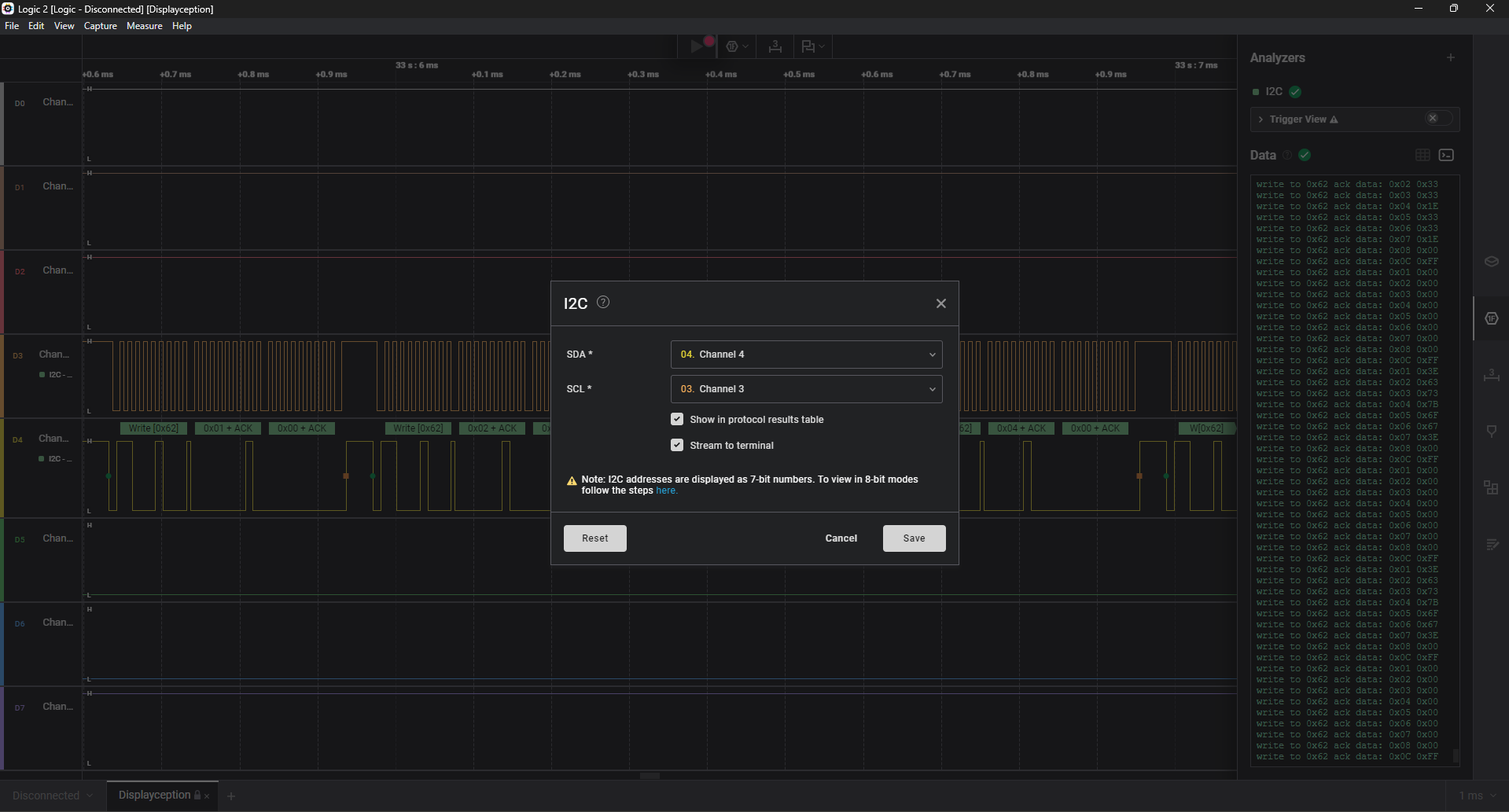
After having file i2c.csv, I reconstruct the bitmap for every frame: treating each value (0–255) as an 8-bit column.
Set LSB = bottom pixel, MSB = top. Concatenate frames left-to-right, we get an 8×760 bitmap.
import pandas as pd, numpy as np

df = pd.read_csv("i2c.csv")
df["data_int"] = df["Data"].str.replace("0x","",regex=False).apply(lambda x: int(x,16))

pairs = []
for i in range(0, len(df), 2):
    if i+1 >= len(df): break
    reg = df.iloc[i]["data_int"]
    val = df.iloc[i+1]["data_int"]
    t   = df.iloc[i]["Time [s]"]
    pairs.append((t, reg, val))

frames = []
cur, prev_t = [], None
for t, r, v in pairs:
    if prev_t is not None and t - prev_t > 0.05:
        if cur: frames.append(cur)
        cur = []
    cur.append((r, v))
    prev_t = t
if cur: frames.append(cur)

patterns = []
for fr in frames:
    vals = {}
    for r, v in fr:
        vals[r] = v
    patterns.append([vals.get(i, 0) for i in range(1, 9)])

H = 8
W = len(patterns) * 8
img = np.zeros((H, W), dtype=np.uint8)

for i, pat in enumerate(patterns):
    for col, val in enumerate(pat):
        for row in range(H):
            bit = (val >> row) & 1
            img[row, i*8 + col] = bit

with open("i2c_flag.ppm", "w") as f:
    f.write(f"P3\n{W} {H}\n255\n")
    for r in range(H-1, -1, -1):
        for c in range(W):
            v = 0 if img[r, c] else 255
            f.write(f"{v} {v} {v} ")
        f.write("\n")
Similar to SPI protocol, we use the same script to save a PNG picture for viewing:
from PIL import Image
import numpy as np

# ---- đọc PPM (P3 ASCII) thành ma trận 0/1 ----
with open("i2c_flag.ppm", "r") as f:
    magic = f.readline().strip()
    w, h = map(int, f.readline().split())
    maxval = int(f.readline())

    nums = []
    for line in f:
        if not line.strip():
            continue
        nums.extend(map(int, line.split()))

nums = np.array(nums, dtype=np.int16)
pixels = nums.reshape(h, w, 3)[:, :, 0]
img = (pixels < 128).astype(np.uint8)

im = Image.fromarray((1 - img) * 255)  # nền trắng, chữ đen
im.resize((img.shape[1]*4, img.shape[0]*4), Image.NEAREST).save("i2c_flag_rot.png")
Opening the picture, I got a hex string: 4D0E17123D3D320554000A3E3337553E380C0102550B004306052B0B165B3C12302137443E2C452B15061D5E590800
After a while of thinking, I notice to the description of the challenge.
So I XOR two parts that I got from two separate protocol and boomm, that’s flag.
from Crypto.Util.number import long_to_bytes, bytes_to_long
s1 = bytes_to_long(b"MCTF{Fakeflag_fakeflag_what_do_you_want_fromme}")
s2 = int("4D0E17123D3D320554000A3E3337553E380C0102550B004306052B0B165B3C12302137443E2C452B15061D5E590800", 16)
res = s1 ^ s2
print(long_to_bytes(res))
Flag: MCTF{Sn1ff_Th3_Sign4l_4nd_Tr4ck_Th3_B1tstr34m}